Download →
Dashboard / My Servers
Previewing as a player — admin-only panels are hidden
⚠ Moderation Mode — actions on player profiles will affect the live server
Command Center

My Servers

Every server you run, in its own colours. Drag a card's ⠿ to reorder.

Your servers
Loading…
Every PlayerAnalytics server

Find Servers

Find your next favourite server — see where your friends play, get picks like the servers you already love, and join in one click.

Server Details
// Your API Key
⚠ Copy this now — it will never be shown again. Paste it into your plugin config under "SaaS — API key".
Mission Control · Live from your server plugin

Server Overview

—Online now
—Server FPS
—Players today
—Sessions 24h
—Peak today
—New today
—Returning today
—Day of wipe
—ONLINE
Server Health Score
—
out of 100
Server health—
⚙️ Server load
—FPS
Entities—
Memory—
Status—
👥 Population
Peak online—
Avg online—
Busiest hour—
Busiest day—
Total Players
—
Total Sessions
—
all time
Avg Session
—
minutes per visit
NPC Kills
—
scientists, animals & bosses
PvP Kills
—
player vs player
01

Growth & Retention

who is arriving, who is staying, who has drifted off

Arrivals

—Today
—This Week
—This Wipe

Drifted Off

7+ DAYS—
14+ DAYS—
30+ DAYS—
90+ DAYS—

Retention Curve

share of new players still playing on or after day N · last 90 days, across wipes
02

Engagement

who plays the most — and who storms off
Playtime Leaderboard
Loading...
Top Rage Quitters
Loading...
03

Live

who is on the server right now
— Players Online — — FPS
Loading...
04

Combat

how fights on your server play out

How Players Die

—Killed by players
—Killed by NPCs
—Falls, cold, bleeding…
Playstyle Split

Top Weapons

PvP + PvE kills
Loading…
05

Progression

plugin levels and ranks
SkillTree Levels —
Loading...
Mercenary Ranks —
Loading...
Players · Every survivor on this server

The Roster

—survivors on record
Player Playstyle VIP Sessions Playtime PvP Kills PvE Kills Deaths PvP K/D PvE K/D Level Rank Last Seen
Loading...
—
—
—
Unknown
Lifetime Playtime
—
Total Sessions
—
Playtime
—
hours this wipe
Avg Session
—
minutes
Achievements & Badges
PvP Kills
—
NPC Kills
—
Deaths
—
PvP K/D
—
PvE K/D
—
PvP Deaths
—
NPC Deaths
—
Rage Quits
—
Skill Lvl
—
Merc Rank
—
💀 Death Types
Activity Trend This Wipe
⛏Gathered Resources
⚙Crafted Items
📦Looted Containers
🔨Built / Upgraded
🕒 Recent Sessions
JoinedDurationQuit Reason
☠ Recent Deaths
WeaponTypeWhen
⚔ Recent PvP Kills
VictimWeaponWhen
Playtime · Hours on the Island

The Long Haul

Every survivor ranked by time spent on the island, counted from their tracked sessions. All-time carries across wipes — switch to it to see the veterans who haven't come back yet.

Hall of Hours

the three who've put in the most time

The Logbook

everyone, by hours on the island
Marksmanship · Career Totals

The Range

The server's deadliest shots — headshot kills, long-range kills and the single longest kill ever landed. Accuracy is career hits ÷ shots fired.

🎯 Top Headshot Kills
Loading…
📏 Top Long-Range Kills
Loading…
🏆 Longest Single Kills
Loading…
Career totals from PlayerAnalytics' native marksmanship tracking. Accuracy is career hits ÷ shots fired, colored on the same red→green ramp as the Server Health Score.
Weapon Mastery

The Armory

Every weapon used on this server, racked and ranked. Pick one off the wall for its leaderboard, mastery levels and accuracy.

Loading…
—
Server totals
—
Total kills
—
🏆 Top 3
Loading…
Leaderboard
Loading…
🎯 Precision
Growth & Retention · Staff

New Arrivals

Real new humans (≥5 min playtime). The lifetime ledger survives wipes.

Loading…
Growth & Retention · Staff

Top Rage Quitters

Players ranked by how many times they logged off on a death streak (≥2 deaths just before quitting).

Ranked by sessions that ended straight after a death streak · all time
Loading…
Staff · last 7 days

Staff & Coverage

Who on your team plays and moderates — and how much of the time players are on, someone from staff is online too.

Loading…
Staff · new players, last 14 days

First Hour

How long a new player's first visit lasts, how many come back, and what happened to the ones who didn't.

Loading…
Staff · last week

Weekly Report

Last week, Monday to Sunday (UTC).

Loading…
Players · this wipe

Teams

Every team on the server this wipe — who's in it, who's on right now, and what they've done together.

01

Team leaderboard

click a member for their profile
Loading…
Staff · this wipe

Raids

Who raids, when, with what — and how many bases fall while their owners are offline.

Quarries · This Wipe

Quarry Works

Every quarry, pumpjack and mill your players run with Virtual Quarries or Quarry Levels: who builds the most, who upgrades the highest, and what's being dug right now.

Top Operators

Loading…

Level Ladder

Quarry Types

Shift Log

    Livestock & Harvest · This Wipe

    The Homestead

    Who's raising the biggest herds and bringing in the biggest harvests. Farmer score: 10 for every animal tamed or born into a herd, 1 for every milking or shearing. An animal belongs to whoever has spent the most time handling it.

    Farmer of the Wipe
    Loading…
    —
    Farmers
    —
    Animals Owned
    —
    Tamed · Born
    —
    Milked · Sheared

    The Pasture

    every tame animal on the server right now

    Blue Ribbon Farmers

    this wipe's top farmers — the county fair
    Fields & Forage

    The Harvest

    From the Fields
    Foraged in the Wild

    Top Harvesters

    ranked by what they brought in
    Naval Update · This Wipe

    The Abyss

    Who's actually diving the Naval-update Deep Sea — visits, time below, what's killing people down there and who's building the fleet. Figures cover the current wipe.

    Adoption
    —
    of players this wipe
    Unique Entrants
    —
    distinct players
    Total Visits
    —
    entries recorded
    Avg Visit
    —
    time per visit
    Entries — last 14 days
    Loading…
    Deep Sea Combat
    Deaths
    —
    in the Deep Sea
    PvP Kills
    —
    player vs player
    Naval NPC Kills
    —
    scientists / crews
    Top Weapon
    —
    most lethal here
    Who's using the Deep Sea
    # Player Visits Total Time Last Entered
    Loading…
    🚢 Fleet
    Player-built modular boats this wipe — who's building them and where.
    Boats Built
    —
    this wipe
    Shipwrights
    —
    players building boats
    Top Shipwrights
    #PlayerBoatsLast Built
    Loading…
    Boats
    OwnerGridFirst BuiltLast Seen
    Loading…
    Rage Quits
    —
    logged off on a death streak
    Deaths Before Quitting
    —
    in the ~5 min before quitting
    Total Deaths
    —
    Most Recent
    —
    PvP / NPC / Other
    Causes
    Hour of Day
    Day of Week
    Top Weapons
    Top Killers
    Rage Quit Locations
    — —
    Recent Rage Quits
    WhenKillerWeaponTypeGrid-ish
    Growth & Retention · Staff

    Drifted Off

    Qualified lifetime players who haven't come back, split into non-overlapping inactivity bands — each player sits in exactly one. A return visit clears them automatically.

    Loading…
    Deaths · Full Analytics

    Flatline

    Every time someone hit the floor — who did it, what did it, and who rage-quit straight after.

    Total Deaths
    —
    PvP Deaths
    —
    NPC Deaths
    —
    Rage Quits
    —

    Who Did It

    player vs NPC vs everything else

    Last 30 Days

    deaths per day

    How They Died

    cause of death

    The Leaderboards

    click a name for their profile
    ☠️
    The Deadliestmost PvP kills
    🪦
    The Unluckymost deaths
    😤
    Rage Quittersquit on a death streak

    Killing Tools

    top weapons, all deaths

    PvP Arsenal

    top weapons in player kills
    NPC Kills · This Wipe

    The Bounty Board

    Every scientist, beast and war machine your players have brought down. Each poster is a target — click one to open its dossier and see who's hunting it hardest.

    —
    Total Kills
    —
    Targets on the Board
    —
    Hunters
    —
    Most Hunted

    Wanted

    click a poster for its dossier
    Loading…

    Hunter's Guild

    top NPC hunters this wipe

    The Armory

    weapons that did the work

    Kill Log

    latest bounties collected
    PVP · This Wipe

    The Kill Zone

    Player versus player, no mercy. Who's most dangerous on the island, what they're carrying, and the latest bodies to hit the floor.

    —
    Total Kills
    —
    Killers
    —
    Deadliest
    —
    Weapon of Choice

    Most Dangerous

    approach with caution

    Weapon Lockers

    what's doing the killing

    Kill Feed

    latest bodies
    SAT UPLINK · ● LIVE

    ISLAND RECON

    — —
    Switch signals and the time window to find hotspots. Click a point on the map for who, where and when.
    REC
    Loading map…Fetching event positions.
    Time Window
    Sources
    Staff only · Every TC, bag & bed

    Base Registry

    Every Tool Cupboard, sleeping bag, and bed — who placed it, where, and whether it's still standing.

    Active TCs
    —
    tool cupboards standing
    Active Bags
    —
    sleeping bags down
    Active Beds
    —
    beds placed
    Owners
    —
    players with something active
    Kind
    Status
    Destroyed by
    Activity · Every Swing Counted

    The Grind

    Every node farmed, crate cracked, wall raised and item crafted on this server. Pick an activity below to see who's hauling the most — and just how much.

    Total Events
    —
    Unique Items
    —
    Top Activity
    —
    Active Players
    —
    Activity Trend — Last 30 Days
    Activity Types — Click to Drill Down
    Server Events · This Wipe

    Event Circuit

    Raidable Bases, Convoys, boss hunts and every other event your server runs. See who's winning the season, which events are hot right now, and where you rank.

    Hottest Event
    Loading…
    —
    Events Completed
    —
    Event Types
    —
    Player Finishes
    —
    Season Leader

    Season Standings

    most events completed this wipe

    The Events

    pick a category · click an event for its full top 10

    Activity Heat

    last 30 days — brighter means busier

    Boss Fights

    latest Bradley and Heli takedowns
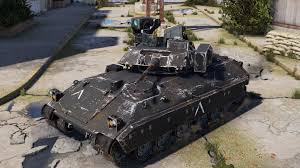
    Bradley Drops

    Heli Signals
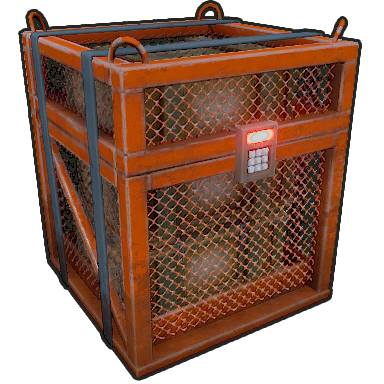
    HACKING CRATE
    15:00
    LIVEVanilla Events · No Plugins Required

    Danger Close

    Patrol Heli, Bradley, supply drops, locked crates, Oil Rig, MLRS and Cargo Ship — every native Rust threat on this server, and the players who keep answering the call.

    —Events Logged
    —Hottest Threat
    —Top Operator

    Threat Board

    every event type, its champion and the chasing pack
    Events Completed
    Top Hunters
    Event Activity — Last 30 Days
    Account
    Email
    —
    Sign-in
    Email & password
    Sound effects
    Adds a soft chime on achievement unlocks, a tick on RCON sends, and short blips for join/leave events. Off by default.
    Billing
    Plan
    PlayerAnalytics — $9.99 / month per server
    Status
    —
    Manage
    Sign-in Methods
    Discord
    —
    Steam
    —
    Google
    —
    Apple
    —
    Change Email
    Change Password
    Data & Privacy

    See every server that holds stats tied to your Steam account, download a copy of your data, or remove yourself. Removing yourself also stops future collection on that server.

    Danger Zone

    Deleting your account permanently removes all your servers and analytics data. API keys stop working immediately. This cannot be undone.

    PA Admin

    Accounts, coupons, backups, holiday themes and maintenance. Every action is audit-logged.

    Maintenance ADMIN
    Backfill Discord handlesLook up the @username for players who linked before it was stored.
    Resync Discord linksRe-check every linked player on servers with a Discord guild: roles, boosters, groups.
    Register slash commandsPublish /reply and /close globally so every customer guild gets them.
    Backups & Restore ADMIN

    Every server is backed up right before a wipe or stats reset, and once a day. Restoring puts back one server's data without touching anyone else. Undo this wipe reverses a wipe that shouldn't have happened; Restore missing data only re-adds rows that are gone. Both show a preview first.

    Holiday Themes ADMIN

    Auto picks the first matching holiday in this order. Changes reach every visitor within 5 minutes; owners can switch the effects off for their own server in Settings → Appearance.

    Server crew

    Server Members

    Everyone with access to this server's dashboard. Invite admins by email or link, share the player link with your community, and see who's been around lately.

    ✉️
    Invite by Email
    Admin access

    Invitees with an existing PlayerAnalytics account get access instantly. New invitees gain access the moment they sign up with that email.

    🛡️
    Admin Invite Link
    Expires after 7 days
    🎮
    Player Invite Link
    Permanent · for your community
    Current Members
    Loading...
    —
    0 reviews
    Reviews
    Loading…
    Wipe recap

    Wipe Summary

    Loading the wipe…

    How the whole server played out, plus each player's own recap — kills, nemesis, favorite weapon and more. Download either as a shareable card.

    Pick a wipe
    01

    Server recap

    the whole server, on one card
    🌍 Server Recap
    Loading server recap…
    02

    Player recaps

    pick anyone to see their own card
    Loading players…
    Pick a player to see their Wipe Summary.
    This Wipe · Settle the Score

    HeadtoHead

    Pick two fighters from the roster below. Blue corner against red corner — every category, and how many times they've put each other in the dirt.

    Pick Player A
    VS
    Pick Player B
    🥊 Choose Your Fighters
    Loading players…
    Pick two players to compare.
    Achievements · Badges & Goals

    Trophy Room

    Badges players earn on this server. Configure them and upload custom art in Server Settings.

    Badge Cabinet

    Pick a player to view their badges.
    Steam ⇄ Discord

    Linking System

    Players connect their Steam and Discord with one in-game command. Linked players get your perks automatically, boosters are spotted on their own, and you can review or revoke any link here.

    ✅ Setup checklist
    🔗 How linking works
    1Type /link in gameThe command name is configurable in the plugin.
    2Confirm DiscordThey open the link it gives them. Steam is already verified from their session.
    3Perks arriveReward group, Discord join + role, booster badge — and they appear in the list below.
    🤖
    Discord auto-join
    Add linked players to your Discord + a role

    When a server (guild) ID is set, players who run /link are added to your Discord automatically and given the optional role. Needs the PlayerAnalytics bot in your server.

    How do I find these IDs?
    1. ➕ Add the PlayerAnalytics bot to your Discord.
    2. In Discord: User Settings → Advanced → turn on Developer Mode.
    3. Right-click your server → Copy Server ID for the guild ID. Right-click a role → Copy Role ID.
    4. Leave the guild ID blank to switch auto-join off.
    👥
    Steam group
    Optional · reward group members

    Players see a "Join our Steam group" prompt on the link and public pages. Steam can't auto-add members, so we confirm by checking the group's public member list.

    How do group rewards work?

    Members are added to the plugin's Steam group rewards Oxide group automatically (set in PlayerAnalytics.json), independent of Discord linking. Leave the link blank to switch it off.

    🎁
    Link rewards
    What players get for linking
    The in-game reward group

    Linked players are added to an Oxide group automatically and removed on the next sync if they unlink. In oxide/config/PlayerAnalytics.json set LinkRewardsEnabled to true, check LinkRewardGroup is the group your perks hang off, then run oxide.reload PlayerAnalytics.

    Linked players
    Staff only · Audit trail

    Mod Log

    Every moderation action on this server, newest first. Use the filters to narrow by action type or player.

    Actions
    —
    on this page
    🔨 Bans
    —
    🔇 Mutes
    —
    👢 Kicks
    —
    ↩️ Reversed
    —
    🤖 Auto
    —
    escalated
    Loading…
    —
    Player support

    Tickets

    Opened in-game, from Discord or right here — every reply syncs across all three.

    Loading…
    —
    — —
    30-minute capture before the ticket opened
    —
    Loading…
    Close this ticket?
    —
    Open a Ticket
    0 / 600
    Server Info

    These fields appear in the header strip on every page of your server's dashboard. Owners (and admins they allow) edit these.

    Custom URL
    🔒 Owner only — the server owner sets the Custom URL.
    playeranalytics.org/s/
    Lowercase letters, numbers, hyphens · 3–32 chars. Shareable public page + branded invite links.
    Stats Embed Key
    A read-only key to display your server's player-facing stats on your own website. It exposes the same data a player sees — no admin metrics like health score or retention. Use it from your website's server-side code; don't expose it in public page source. 📄 Developer setup guide ↗
    —
    Public page image
    No image uploaded
    Public /s/<slug> page banner · shown full-width, ~240px tall · recommended 1600×400 (wide, center-cropped) · PNG/JPG/WebP · max 2 MB
    Discord link image
    Link your Discord
    Connect your Discord account to your in-game profile to unlock linked-player rewards.
    ServerYour server
    Playing asYourPlayer
    Connect Discord
    Shown on the in-game Discord /link page · recommended 1280×720 (16:9) · PNG/JPG/WebP · max 2 MB
    Banner image
    No banner uploaded
    PNG, JPG, or WebP · max 2 MB · recommended 1200×300
    Map & Listing
    Wipe Summary banner
    Default gradient (no banner uploaded)
    PNG, JPG, or WebP · max 2 MB · exactly 1080 × 420 px for pixel-perfect rendering (smaller or larger will be scaled to cover)
    Map image
    No map image set
    Click Render Map to have the plugin render your current world and upload it automatically — or upload your own image (PNG, JPG, or WebP · max 25 MB · square recommended) if you already have a higher-resolution copy.
    Show names in map?
    When No, players see anonymized map labels. Owners & admins always see names.
    Is this a PvP server?
    When Yes, players & viewers can't see enemy-revealing map data (deaths, combat, gather, loot, builds, bases, raids, crafting). NPC kills, vending & monument events stay visible. Owners & admins always see everything.
    Is this a hardcore server?
    When Yes, the Map page is hidden entirely from players & viewers. Owners & admins still see the Map. Stricter than the PvP toggle above, which only hides individual map sources.
    Let admins remove items from players
    In the Loot panel you can take an item off a player (for duped or bug-created items). Every removal is logged, and the player is told in-game what was removed and why — a reason is required. This setting decides whether your admins can do it too, or only you. Giving items is separate and always allowed for admins.
    🛡️
    Admin access
    Your admins can view the dashboard. Switch this on to let them help run the server too.
    ✓ Admins can
    • 🏆Achievementscreate, edit and reward
    • ⚙️Server settingstheme, images, leaderboards, VIP, chat, tickets, moderation
    • 🔔Push & announcementsnotify your players
    • 🧑‍🤝‍🧑Players & viewersinvite, remove and share the player link
    • 🔗Account linkinglink and unlink players
    • ⭐Reviewsreply to and hide reviews
    🔒 Always stays yours
    • ⚠️Danger Zonereset stats, delete the server
    • 🔌Connection & ScheduleIP, port, wipe schedule, Socials & Links
    • 🛡️Adminsadding, promoting or removing admins
    • 🌐Public pageyour /s/ address and Browse listing
    • 🔑Keys & webhooksAPI key, embed tokens, Discord webhooks
    • ⌨️Console & billingRCON, plugin updates, billing
    • 🧨Console-command rewardsrewards that run server commands
    • 🗺️Map privacy & Discord routingPvP / hardcore map hiding, which Discord server, ticket channels & cheat alerts
    Takes effect right away · you can switch it off any time
    List in Browse Servers
    🔒 Owner only — the owner decides whether the server is listed.
    When Yes, your server appears in the public Browse Servers directory and the cycling strip on the homepage — using your theme, banner and public stats only. Requires a public Custom URL (slug) to be set. Off by default.
    Weekly report email
    🔒 Owner only.
    Every Monday morning, last week's numbers — players, hours, peak, kills and your top players — emailed to the server owner's account email. Off by default. (Add a "Weekly Report" webhook below to post it in Discord too.)
    Plugin badges on Browse
    🔒 Owner only.
    Your Browse card shows badges for well-known gameplay plugins you run (Skill Tree, Raidable Bases, Kits, Clans…) so players can find the server they want. Detected automatically by plugin 3.3.0; admin tools are never shown. Shown by default.
    Server Tags
    Game Mode
    Wipe Cycle
    Group Limit Max 
    Server Type
    These show as chips on your public page and the Browse Servers directory, and let players filter. Game Mode and Wipe Cycle are pick-one (click again to clear); Server Type allows any.
    Connection & Schedule
    🔒 Owner only — shown read-only. Ask the server owner to change the address or wipe schedule.
    Gather rate
    × (e.g. 1, 2.5, 100)
    Server IP
    : Direct Connect uses this
    Wipe schedule
    Force wipe
    First Thursday of every month. Leave this on unless your server genuinely skips it — the monthly update invalidates the map save, so almost every server wipes.
    Next wipe override
    Your local time. Empty = use the schedule above.
    Upcoming wipes
    Pick a schedule to preview the next dates.
    🔒 Owner only — shown read-only. Ask the server owner to change these links.

    💬Community

    🛍️Shop & website

    Full https:// links. Each one becomes a button on your public page.

    📣Social media

    Paste your page link, or just your @handle. Each one shows as an icon players can tap to follow you. Your Steam group (set in Account Linking) shows here too.

    Loading plugins…
    Appearance

    Pick four colors — the dashboard derives the rest. Changes preview live; click Save to publish them to everyone on this server, Cancel to discard, or Reset to clear back to the default palette.

    Presets
    Page background
    #060c18
    Card surface
    #0d1525
    Accent
    #2e9cff
    Border
    #1a2a45
    Vignette
    0%
    Card opacity
    100%
    Holiday effects

    PlayerAnalytics adds light seasonal visuals for holidays like Halloween and Christmas — a soft glow, gentle effects and a greeting. Turn them off if you'd rather keep this server's dashboard and public page plain. Visitors can still hide them for themselves.

    Show holiday effects
    On
    VIP Badges

    Assign badge art to the Oxide groups your plugin is tracking. Drag rows to set priority — every player on the dashboard, roster, and public page renders their top-two badges by this order.

    Loading…
    🔔 Push Notifications

    What this server is allowed to send to phones running the PlayerAnalytics app. Each player still chooses what they want in their own app settings — this is your master switch per type.

    Loading…
    📣 Announcements

    New plugin, event tonight, wipe moved — push it to every player who has announcements on, without posting in Discord. Up to 3 per day.

    Title
    Message
    0/240
    LOCK-SCREEN PREVIEW
    📊
    PLAYERANALYTICSnow
    📣 Your title
    Your message shows here, just like on their lock screen.
    Web ↔ In-Game Chat

    Lets Steam-linked players read in-game chat (and eventually send back) from a floating chat panel on this server's dashboard. Public broadcast only — no DMs, no team chat. Disable any time; queued web messages clear on toggle-off.

    Enable Web Chat
    Bubble appears on the dashboard for Steam-linked players on this server.
    In-game format
    Template for how web messages appear in-game. Must include both {name} and {message}. Rust color tags work (e.g. <color=#ff5050>).
    Cross-Server Chat

    Let general chat flow between your servers, so a quiet one never feels empty. Messages from elsewhere are shown with the server they came from. Only servers on your own account can be linked. Requires plugin v3.2.6+.

    Enable relay
    This server's name in chat
    How this server is announced on your other servers.
    Incoming format
    {label}, {name}, {message} — {message} is required. How messages from other servers look here.
    Receive chat from
    Skip short messages
    Characters. Keeps "k", "?" and "gg" from crossing servers, where they have no context. 0 relays everything.
    Relay website chat too
    Returning-Player Welcome

    When a player returns after being away, greet them with a server-wide in-game broadcast, a 24-hour “Returning” badge on your public page, and — if you add a Welcome Back webhook below — a Discord post. A small “the server remembers you” moment that pulls lapsed players back into a full session.

    Enable Welcome
    Works in-game with no extra setup. Add a “Welcome Back” webhook below for the Discord post.
    Away threshold
    days away How long a player must be gone before a reconnect counts as “returning” (1–365).
    Broadcast message
    Must include {name}. Optional {days} inserts how many days they were away. Rust color tags work (e.g. <color=#47d4b8>).
    Moderation

    Auto-escalation, Discord mirror, and saved reason templates for warn/mute/kick/ban actions.

    Auto-escalate warnings
    After warnings in days, auto- Set warnings to 0 to disable auto-escalation.
    Discord mirror
    Discord webhook URL
    🔒 Owner only — the server owner sets the moderation webhook.
    Channel Settings → Integrations → Webhooks → New Webhook → Copy URL. Stored masked; never shown in full again.
    Reason Templates

    Quick-pick reasons that appear in the action modals. Use them to standardize wording across admins.

    Player Rivalries

    Surfaces pairwise PvP records on the Head-to-Head page — each player's top rivals this wipe, plus a server-wide “most heated rivalries” list. Players can one-click compare and share a rivalry card to your Head-to-Head Discord channel (if configured). Turn off to hide all of it for this server.

    Enable Rivalries

    🔒 Owner only — Discord webhooks are managed by the server owner.

    Discord Webhooks

    Post wipe summaries and other server events straight into your Discord. Paste a webhook URL from your Discord channel (Channel Settings → Integrations → Webhooks → New Webhook → Copy URL).

    Loading…
    Add a Webhook
    When to fire
    Channel label
    Webhook URL
    Seasons

    A season spans several wipes. Players earn points (1 per 6 min played, 5 per PvP kill, 1 per 4 NPC kills); the leader when the season's last wipe ends is crowned Season champion.

    Weekly challenges

    Every Monday your server gets 3 new automatic challenges. Add your own below — players see them on their profile with live progress (counted on the current wipe).

    In-game Leaderboard

    Give players a website-style leaderboard right in game — server totals, top-10 boards, and player profiles. Players also need the playeranalytics.leaderboard permission (e.g. oxide.grant group default playeranalytics.leaderboard). Requires plugin v3.1.0+.

    Enable leaderboard
    Chat command
    /
    Letters, numbers, underscores. A changed command applies when the plugin reloads.
    Menu colors
    Applies in game within a minute of saving.
    Boards to show
    Community Goals, Weapon Mastery, Farming, Big Events and Deep Sea need plugin 3.2.9+ and the new menu style.
    Menu style
    The new style needs plugin 3.2.9+. Older plugins always show the classic menu. Inside ServerPanel the classic layout is used, since ServerPanel draws its own frame.
    Chat Titles

    Give your #1 players a title in chat — top NPC killer wears [NPC SLAYER], and if someone passes them it moves the same minute. Ties stay with whoever got there first.
    Requires the BetterChat plugin, which draws the titles. Without it these are ignored. Requires plugin v3.2.6+.

    Enable chat titles
    Titles per player
    How many titles one player can wear at once. Leaderboard titles are shown before achievement titles.
    Announce handovers
    {title}, {new}, {old}. Broadcast in game when a title changes hands — never when it's claimed for the first time.
    Titles
    Leaderboard Awards

    Crown the wipe's champions. When your map wipes, the top 3 of each category you enable get rewards — granted in game the next time they connect. Add a Leaderboard Awards webhook in the Discord Webhooks card to announce the podium to your community. Requires plugin v3.1.0+.

    Enable awards
    Rewards Notification

    What a player sees in-game the moment they complete an achievement. Applies to this server — the plugin picks it up automatically.

    Show notification
    Message
    Placeholders: {achievement}, {name}, {reward} (e.g. "(+500 RP)"). Rust color tags like <color=#ffd23d>…</color> work.
    Sound effect
    Rust effect prefab path. Clear it for no sound.
    Visual effect
    Effect played at the player. Clear it for no visual.
    Achievements & Badges

    Define what earns a badge, upload custom art, and toggle presets. Players see their badges + live progress on the Achievements page.

    Create a custom achievement
    1 · Pick what to track
    Choose a category above to see everything you can track.
    Add from presets
    Your achievements
    Loading…
    Tickets

    Players can open a support ticket with /createticket in-game, or from the Tickets tab on this dashboard. Each new ticket creates a private Discord channel in the guild + category you specify below; replies flow both ways. On close, PlayerAnalytics generates a self-contained HTML transcript kept forever under the Tickets tab.

    Enable tickets
    Discord guild ID
    Right-click your Discord server icon (with Developer Mode on) → Copy Server ID.
    Discord category ID
    Right-click the category (e.g. "🎫 Tickets") → Copy Channel ID. New ticket channels are created inside it.
    Admin roles to ping
    Server Settings → Roles → right-click → Copy Role ID. Separate several with commas. Leave blank to skip role pings.
    Moderators to ping
    Ping named people instead of (or as well as) a role — right-click a member → Copy User ID. Use this if your staff don't share one role.
    Ticket panel channel ID
    Not the same as the category above. This is a normal public channel (e.g. #support) where PlayerAnalytics posts an Open a Ticket panel players can click. The category above is the private parent each ticket's own channel is created under.
    Delete channel when closed
    The HTML transcript is kept forever either way, and screenshots posted in the channel are saved with it — so deleting loses nothing from your records. The channel is only ever deleted once that transcript has been safely stored. A delay is worth keeping if you get tickets from players who haven't linked Steam: the channel is the only place they can read how it was resolved.
    Automatic cheat tickets
    When a player's combat stats look suspicious, PlayerAnalytics opens a staff-only ticket with the evidence and their last 30 minutes of activity. The flagged player can't see it and is never added to its Discord channel. One ticket per player per wipe; it's updated if the case gets worse. Admins on the leaderboard-exempt list are never flagged. It's a heads-up to review, never an automatic punishment.
    Cheat ticket sensitivity
    Strong evidence needs one red (🔴) flag on its own, or a risk score of 60+ (you can change both below). Only PvP evidence counts (needs plugin 3.2.8+); NPC and animal kills never open a ticket unless you allow it. Anything notable also opens tickets for single medium flags, which will include some genuinely good players.
    F7 report tickets
    When a player reports someone in game with F7, PlayerAnalytics opens a staff-only ticket with who reported them, the report type, what they wrote, and the reported player's last 30 minutes. More reports on the same player are added to that ticket while it's open. Neither player can see it. Needs plugin 3.2.8+.
    🎯 Fine-tune cheat detection Set your own lines for headshot rate, long-range kills, F7 reports, anti-cheat and more using the defaults ✎ Edit thresholds▸

    Every check PlayerAnalytics can measure, with the line where it's worth a look (🟠) and where it's strong (🔴). Leave a box empty to use the default. The defaults are tuned so good players don't trip them. Lower them only if real cheaters are slipping through; raise them if you're getting tickets about legit players. Changes apply to the player profile's risk panel and to tickets.

    Setup steps:
    1. Add the PlayerAnalytics bot to your Discord — button below.
    2. Make sure the bot has Manage Channels on the target category (the invite asks for it; a category-level override can still take it away).
    3. Paste the guild + category IDs above, optionally any roles and/or moderators to ping, and toggle Enable to Yes.
    Staff reply by typing in the ticket channel like a normal chat — no slash command needed. /close closes and archives it. Already added the bot? Clicking again just re-authorizes it (needed if /close is missing) — nothing is removed.
    Choose a badge
    Loading badges…
    Reward on completion
    Add one or more rewards (e.g. RP + currency + a command). Requires the ServerRewards or Economics plugin for those options; Custom works with vanilla console commands. Custom placeholders: {id} Steam64, {name} player, {amount}. Per-wipe achievements pay each wipe; lifetime once.
    Edit achievement
    Worn in chat by everyone holding this achievement. Needs BetterChat; the colour follows the tier. Per-wipe achievements lose it at wipe.
    Badge art is set with the Badge… button on the row. Changing the target re-checks every player against the new number — nobody loses a badge they already earned.

    Copy Settings From Another Server

    Importing into: . The current values are snapshotted before the copy so you can Undo.
    Pick a source server to see what's available.
    ⚠ Achievement conflicts
    Note: Image URLs (banners, link image, public page image) are copied as-is — the actual files stay hosted under the source server. Webhook URLs are NOT copied; only their names and purposes, so you'll re-paste channel URLs after.

    New API Key

    Server:
    // Your New API Key
    ⚠ Copy this now — it will never be shown again. The previous key has been invalidated. Paste this into your plugin's config (oxide/config/PlayerAnalytics.json) under "SaaS — API key" and reload the plugin to resume data ingestion.
    Leave a Review
    Share your experience with this server. Visible to anyone with dashboard access.
    0 / 300 words
    Review PlayerAnalytics
    Share your experience — as a server owner, admin, or a player who uses the platform. Approved reviews appear on our public landing page; server owners also get a “Verified server owner” badge.
    Hide this review
    Hidden reviews stop appearing in the public list but stay in the database. Owners can unhide them later. The reason is for your own records and isn't shown to other viewers.
    Action
    —
    Reverse action
    —
    Render map now?
    This runs the plugin console command pa.rendermap on your server. It generates a fresh top-down render of the live world and uploads it as your Map image.

    This usually takes about 30–60 seconds to complete.
    Reply to this review
    Your reply shows publicly under the review on your server's page and dashboard. A thoughtful reply makes your server look active and cared-for.
    Contributors
    Your Wipe Summary
    How did your wipe go?
    ?
    Player inventory
    —
    —requesting…
    Asking the server for their inventory…
    Remove from player
    —
    🎁 Give
    Goes straight to their inventory. If it's full, it drops at their feet.
    🕘 Recent grants
    None yet.
    Choose
    Loading…